Navigation
Install the app
How to install the app on iOS
Follow along with the video below to see how to install our site as a web app on your home screen.
Note: This feature may not be available in some browsers.
More options
Style variation
You are using an out of date browser. It may not display this or other websites correctly.
You should upgrade or use an alternative browser.
You should upgrade or use an alternative browser.
GR Yaris Canchecked
- Thread starter FrakassoR
- Start date

Steveo
Dedicated member
Interested mate,I’m a Canchecked virgin and I’m struggling to set the thing up let alone add thisI stole a second of Top Gear montage and added GR Yaris logo animation in case anyone wants. But can't upload images here cos site doesn't support BMPs.
View attachment 8351


- Thread starter
- #43
Hi, thanks for all your helpful posts on this. Would it be possible to get the gr logo startup animation from you please? The wetransfer link on facebook has expired
https://wetransfer.com/downloads/240d147a56ce106012df3d684bbb18a320221003140630/03defe3a82033c5f75beb0d8e47681fa20221003140630/54f73d

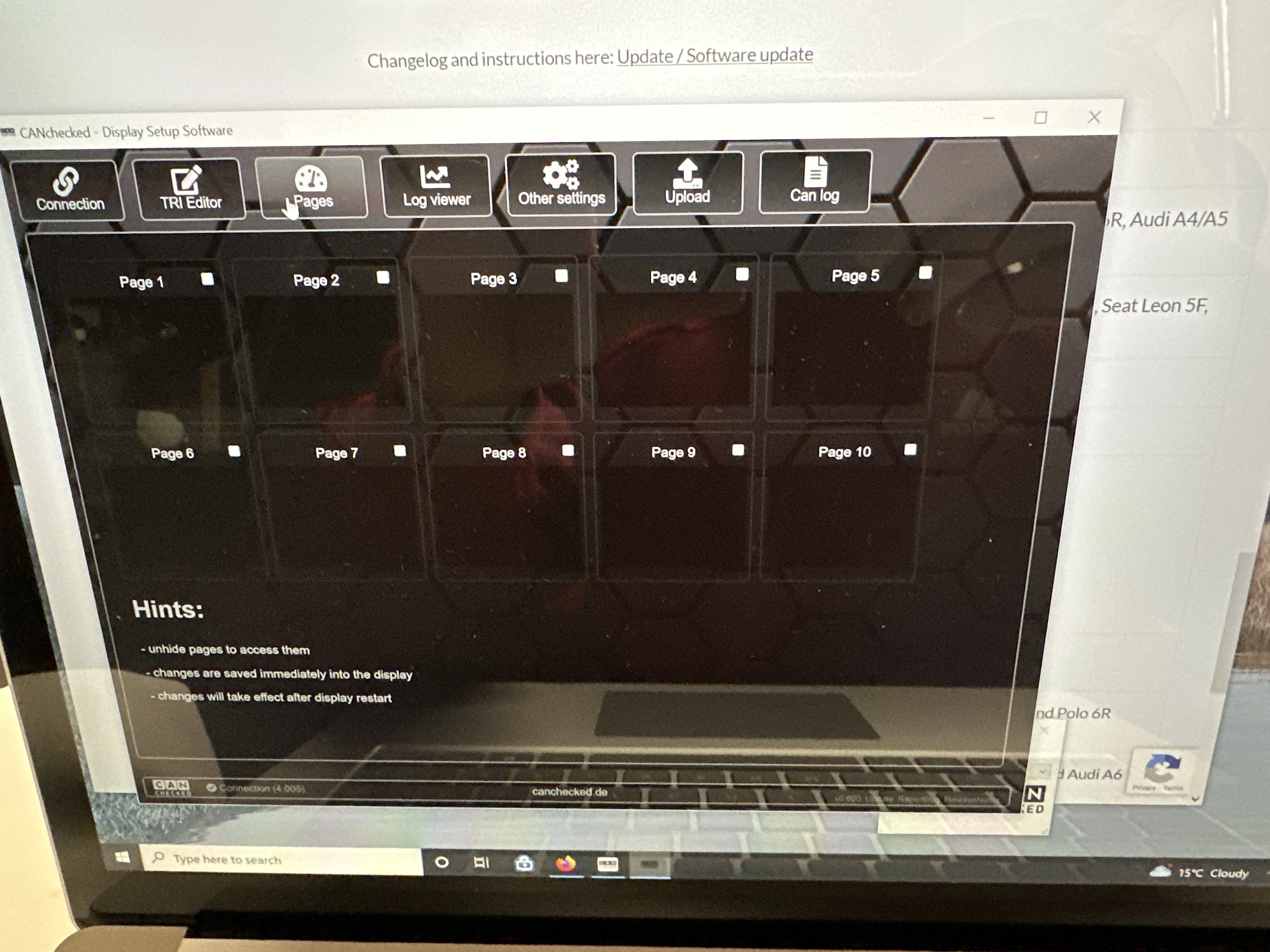
I thought i would have a look at making some changes using the DSS software today. When i first loaded the app it said i needed to update to the latest 4005 software version. Some how the graphs didnt work when running the car so I tried to reset the display and now have all blank pages.
Anyone know how I can get the base graphs etc again please? Wish I had not started to try and customise it.
I have not had the boost or the gears working while I have had it even though I entered the gearing/speed figs as per the instructions.
Anyone know how I can get the base graphs etc again please? Wish I had not started to try and customise it.
I have not had the boost or the gears working while I have had it even though I entered the gearing/speed figs as per the instructions.
Try this:
1. Download and install updater on laptop
updater (64bit)
2. Run it and update to 4.005 OBD (when I did this it was 4.004, shouldn't matter)
4.005 OBD
As for the gears, did you change the correct "layer" on UI to "gears"?
There are multiple "layers", tap once to access first, tap twice to access second, etc.
But I suggest connecting laptop and using DSS, you can easily create, load and change pages that way.
1. Download and install updater on laptop
updater (64bit)
2. Run it and update to 4.005 OBD (when I did this it was 4.004, shouldn't matter)
4.005 OBD
As for the gears, did you change the correct "layer" on UI to "gears"?
There are multiple "layers", tap once to access first, tap twice to access second, etc.
But I suggest connecting laptop and using DSS, you can easily create, load and change pages that way.
After updating were you asked to load some .trx file? There were 5 to choose in my case, but only one had "gr" in the filename, that's the one to pick. Connect laptop again and on DSS second tab try "load from display".
I'm kinda tapping in the dark now, not near my pc with all the files and some instructions, will try tomorrow if you don't find the solution by then.
Worst case scenario, contact support, they helped me the very next working day.
I'm kinda tapping in the dark now, not near my pc with all the files and some instructions, will try tomorrow if you don't find the solution by then.
Worst case scenario, contact support, they helped me the very next working day.
No it just updated and the display went off and back on. There was no selection choice on the display or the laptop.
Appreciate your help.
I will have a quick look at the DSS second tab.
Had a quick look and reloaded the software using the uploaded. The display refreshes and then says pages empty.
I had a look at the DSS screens too.
The load from display on the second tab. doesn’t seem to do anything for me.
The pages are all blank too.

Appreciate your help.
I will have a quick look at the DSS second tab.
Had a quick look and reloaded the software using the uploaded. The display refreshes and then says pages empty.
I had a look at the DSS screens too.
The load from display on the second tab. doesn’t seem to do anything for me.
The pages are all blank too.
Last edited:

Boost Creep
Absorbed member
- Oct 14, 2022
- 75
- 84
you can upgrade your product with a shiftlight :

SLM08 - Shift Light Module / Schaltblitz < Displays für Motormanagements
Der Schaltblitz ist die beste Möglichkeit,um den Fahrer über den optimalen Schaltzeitpunkt zu informieren.8 superhelle LEDs sind individuell konfigurierbar.www.canchecked.de
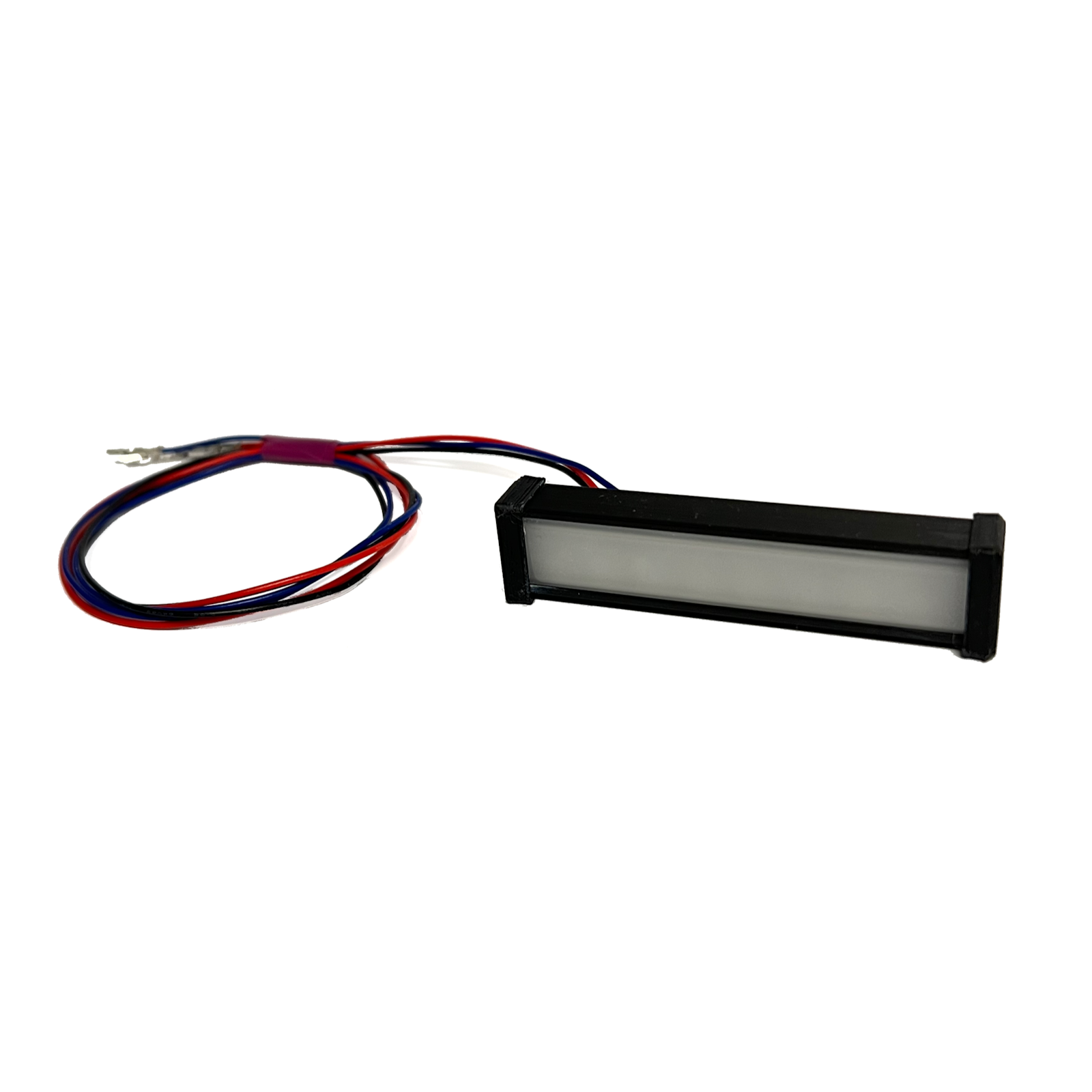
CANchecked universal shift light plug-in module for MFD32 / MFD28, 49
In order to reach the optimal shift point this CANchecked universal shift light is indispensablewww.turbozentrum.de
and configure it from DSS software.
View attachment 2612
View attachment 2613
View attachment 2614View attachment 2615
Did you gain any insight into how this sequential shift light works? Is it using PWM? Am I assuming it has a PCB inside?
Boost Creep
Absorbed member
- Oct 14, 2022
- 75
- 84
Did you just take the CANchecked light mod it into the dash or did you make your own light?
Boost Creep
Absorbed member
- Oct 14, 2022
- 75
- 84
Anyone else have this flash of blue issue on the custom logo boot screen? I have reloaded all the images again.
Boost Creep
Absorbed member
- Oct 14, 2022
- 75
- 84
thanks, happy to test too!Yes, I have the issue with few frames of the animation, my guess is 24bit pictures. But didn't have time to try re-uploading same 16bit ones to test out. Maybe tomorrow, will let you know.
Yes, correct. I find popping mine out to be really easy. Side off the dash, then just push the vent/gauge from the back. It was a while ago that I did it but I think that you don't need to remove anything else to access the sd cardDid I understand correctly:
- you've taken out the SD card from CANchecked
- copied files to SD card
- returned the card into CANchecked
Would like to keep CANchecked in, CBA sticking it in again
