leosayer
Totally Hooked
My audio settings thread went down well so I thought I'd post a thread on another useful infotainment feature I discovered.
Seeing as I haven't seen this mentioned on another thread I thought I would share in case anyone will benefit.
The goal is to get some more useful shortcuts to avoid too many button presses when driving, particularly when switching to and from Android Auto.
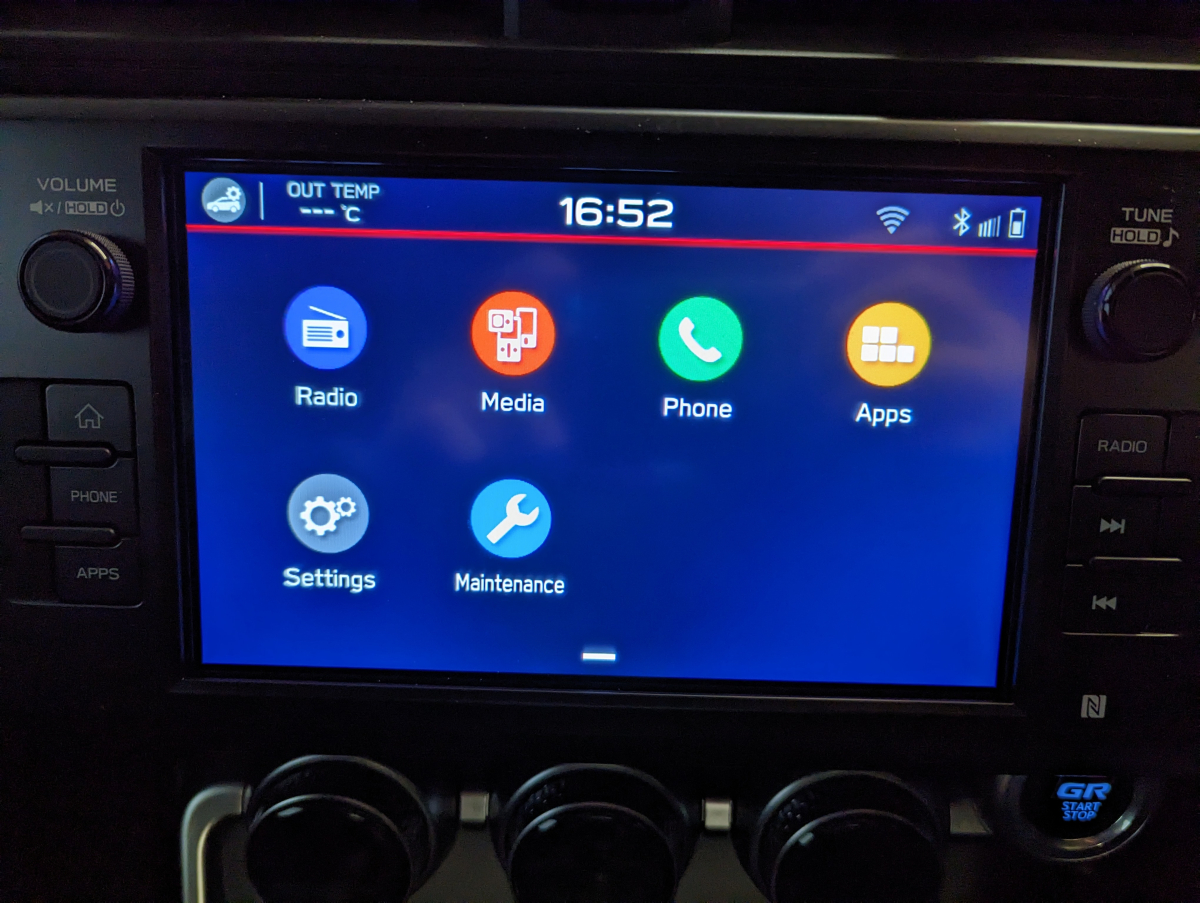
I think everyone gets these shortcuts out of the box:
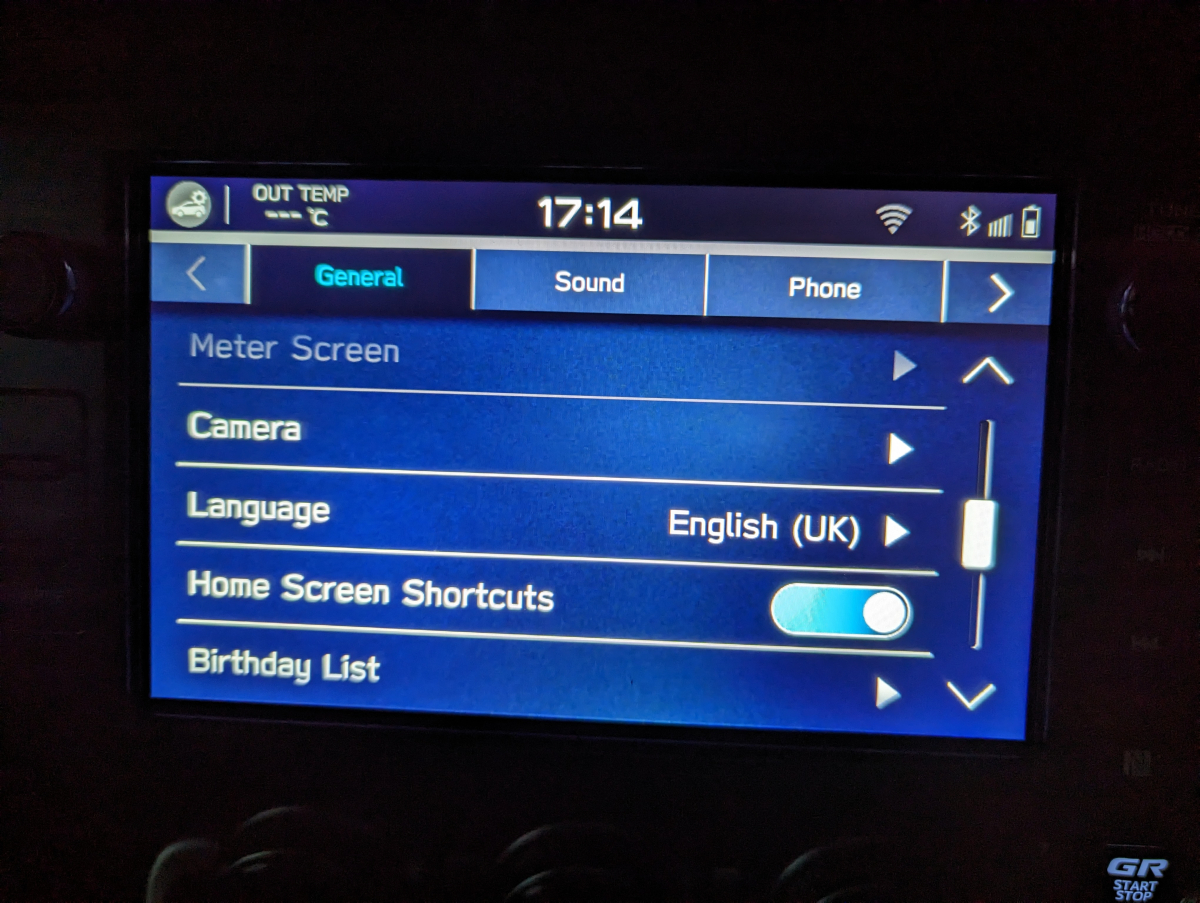
To allow you to configure the home page, enable 'Home Screen Shortcuts' via Settings / General if not already done:
Once that's done, go back to the home screen and you'll see the 'Add Shortcut' button has appeared. Tap on this to select what you want to add.
Once you've added some shortcuts, a long press on an icon enables you to move it around (drag to where you want it) or delete it (drag to bottom of screen) just like any smartphone.
If you add too many they just spill over onto another screen which you can swipe over to.
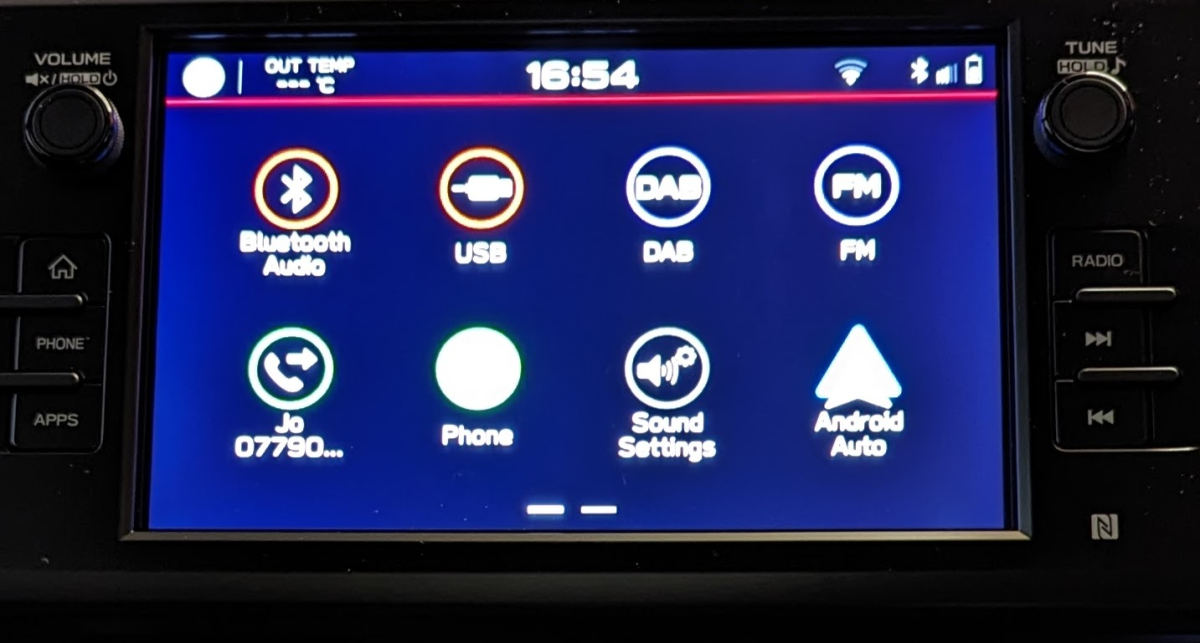
I have settled on the following on screen 1:
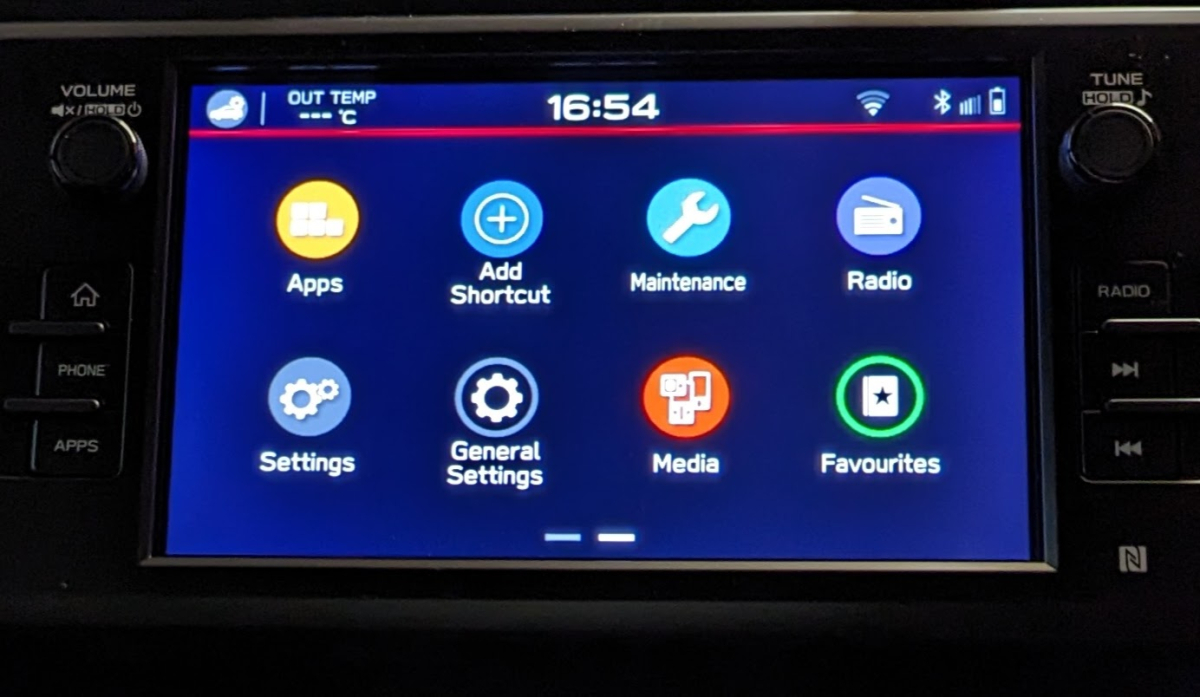
and the following on screen 2:
Luckily I have the car in a garage so I can try out all the above without passing people thinking I'm a sad geek with nothing better to do than sit in my new car making vroom vroom noises.
Good luck!
Seeing as I haven't seen this mentioned on another thread I thought I would share in case anyone will benefit.
The goal is to get some more useful shortcuts to avoid too many button presses when driving, particularly when switching to and from Android Auto.
I think everyone gets these shortcuts out of the box:
To allow you to configure the home page, enable 'Home Screen Shortcuts' via Settings / General if not already done:
Once that's done, go back to the home screen and you'll see the 'Add Shortcut' button has appeared. Tap on this to select what you want to add.
Once you've added some shortcuts, a long press on an icon enables you to move it around (drag to where you want it) or delete it (drag to bottom of screen) just like any smartphone.
If you add too many they just spill over onto another screen which you can swipe over to.
I have settled on the following on screen 1:
and the following on screen 2:
Luckily I have the car in a garage so I can try out all the above without passing people thinking I'm a sad geek with nothing better to do than sit in my new car making vroom vroom noises.
Good luck!


